
 QC · 14
Categories Shoes
Mulebuy shoes: browse spreadsheet finds
A category browse page for shoes — not a how-to article. Shortlist sneakers and pairs, check symmetry and US/EU size notes, then open live shoe finds with QC context.
How to shortlist shoes here
Use this category to compare similar shoe listings quickly, skip weak rows, and only open live finds when the basics look right.
- 01
Search shoes by link, brand, or keyword
Paste a Taobao, Weidian, or 1688 link when you have one. Otherwise search brand + sneakers / jordan / size terms, then stay inside this category.
- 02
Compare price, size notes, and seller photos
Open a few similar shoe finds side by side. If size notes, color, or construction look off, leave that row off your shortlist.
- 03
Open live finds and plan QC photos
Continue to the live hub, filter current shoe listings, and decide which warehouse QC photos you need before shipment.
Featured shoe finds
Trending shoe picks from the live catalog — USD prices and QC badges for US & EU shoppers.
QC · 14 QC · 6
Nike Air Jordan 11 Black/Court Blue Sneakers
 QC · 5
Nike Air Jordan 11 Low Powder Pink/White Sneakers
 No QC yet
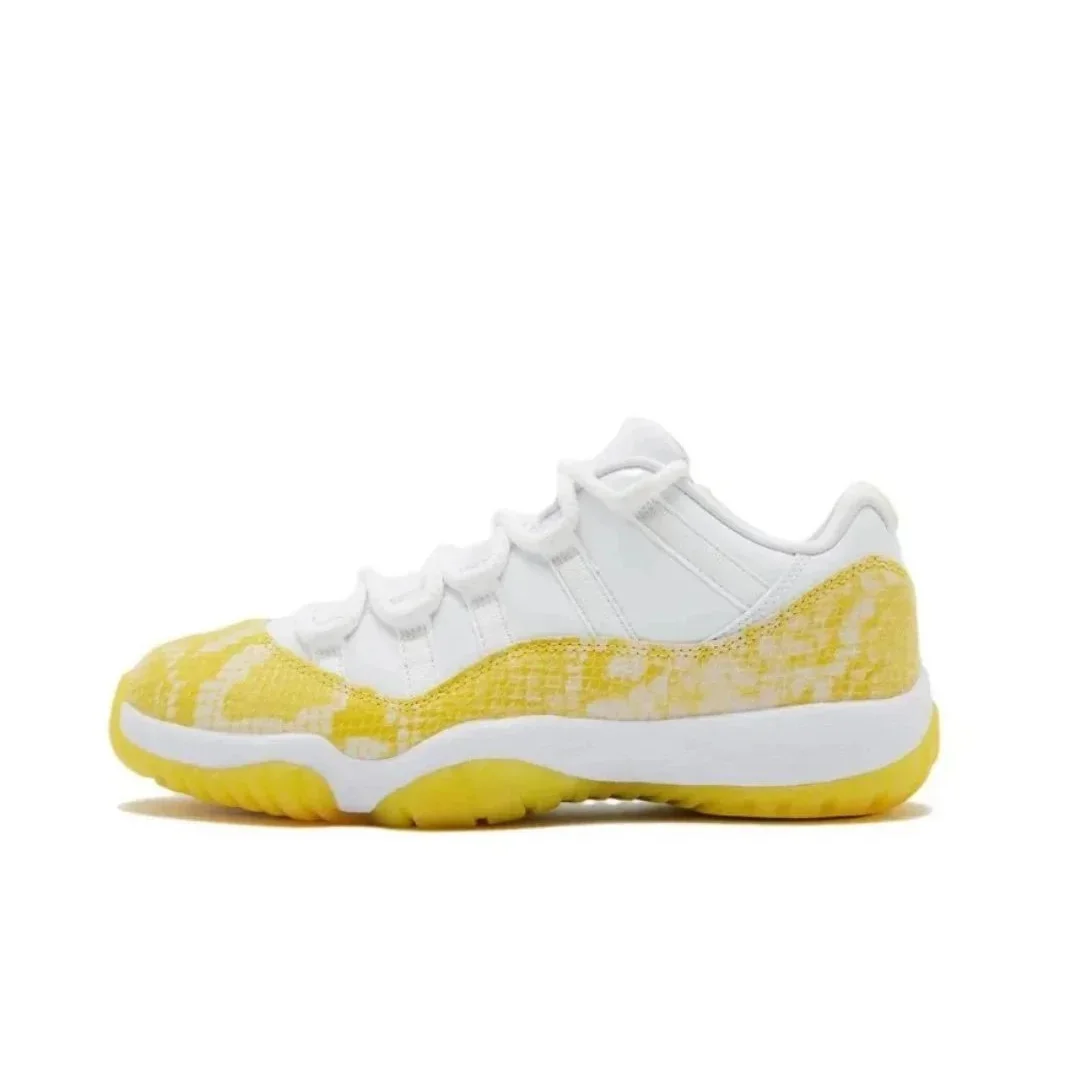
Nike Air Jordan 11 Low Lemonade Sneakers
 No QC yet
Nike Air Max Tuned Air Triple Black Sneakers
 No QC yet
Nike Air Max Tuned Air Black/Blue Sneakers
 No QC yet
Nike Air Jordan 11 Cool Grey Sneakers
 No QC yet
Nike Air Jordan 11 Red/White Sneakers
How to search shoes in this category
Most people over-search broad terms. Narrow shoe queries convert better and make QC decisions easier later.
- Prefer a product link over vague brand-only searches
- Add model or colorway keywords when you know them
- Compare 2–3 similar pairs before saving any find
- Keep a size note (US/EU) next to every shortlisted pair
What to check on shoes
Treat every row as a clue, not a final answer. Compare a few similar shoe finds before you commit.
- Pair symmetry and overall shape
- Sole thickness and stitch lines
- Logo placement and color tone
- US/EU size notes vs. seller chart
Common mistakes when shopping shoes
- Trusting one hero photo without left/right pair shots
- Ignoring sole thickness and stitch lines until QC is too late
- Mixing EU and US size assumptions across sellers
- Saving every cheap pair instead of a tight shortlist
Why browse shoes by category
Shoe finds look similar until you compare shape and sizing. A Mulebuy spreadsheet category view keeps pairs comparable, then the live hub shows current photos, USD pricing, and QC badges before you commit shipping cost.
Next: open live shoes
Filter current shoe finds, review photos and details, then keep a shortlist with one clear reason for each item.
Shoes browse FAQ
How do I browse shoes here?
Search by product link or brand first, compare similar shoe finds for fit and quality clues, then open live listings to review current photos and QC.
How do I search shoes in this category?
Start with a link when possible. If not, use brand + sneakers / jordan / size keywords, then stay in-category instead of scrolling mixed haul pages.
What QC photos matter for shoe finds?
Ask for pair shots, sole profile, heel tabs, and logo/stitch close-ups before you approve warehouse shipment.
Is a Mulebuy spreadsheet good for Nike or Jordan shoe finds?
Yes as a shortlist tool. Compare shape and size notes first, then open live shoe finds to review current QC albums before you pay for shipping.
Related guides
How to Use a Mulebuy Spreadsheet 2026 | Step-by-Step
How to use a Mulebuy spreadsheet in 2026: paste a product link or tight keyword, compare in one category, pass/fail before you save, then browse live finds. The main process guide for spreadsheet shopping.
Mulebuy QC Photos Guide | What to Request & CompareMulebuy QC photos guide: which warehouse angles to request by category, how to compare them to your saved find, and when to reject before shipping fees feel sunk.
QC photos checklistUse this before you approve warehouse photos from a shortlisted find.